
Most merchants pay a developer, an app subscription, or a very patient staff member to do the things Shopify Flow already does for nothing. Tagging risky orders. Chasing low stock. Sorting VIP customers from one-off buyers. It sits inside the Shopify admin most stores already have open every day, and a lot of teams have never opened it.
That is the gap worth closing. Not because Flow is new, but because the busywork it replaces is exactly the kind of thing eating hours out of a lean ecommerce team’s week.
What It Actually Is
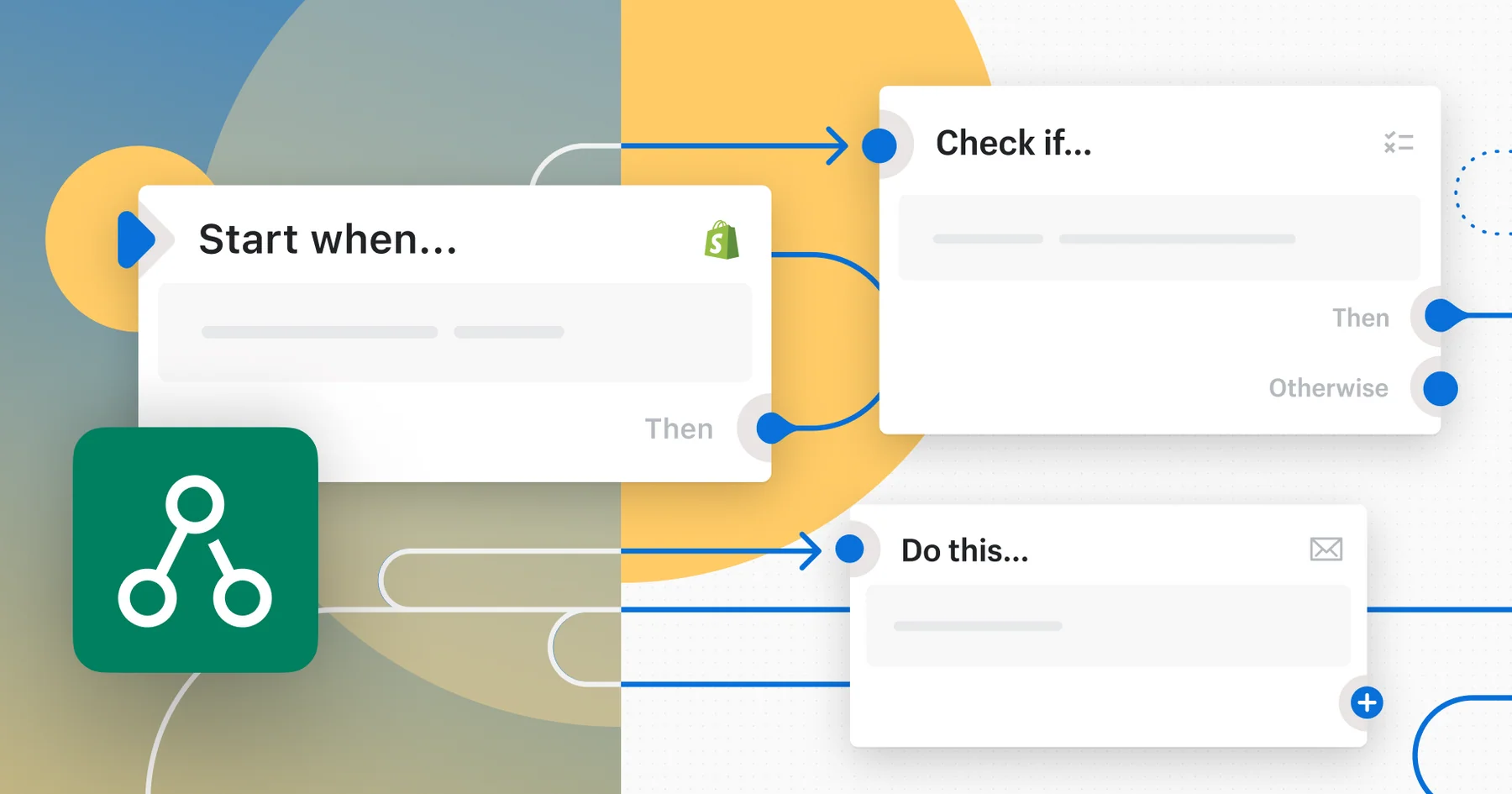
Flow is Shopify’s native automation builder. No code, no developer ticket. You set a trigger (an order comes in, a customer places their fifth purchase, stock drops below a number you choose), add a condition if you need one, and pick an action (tag the order, add the customer to a segment, send an alert, archive it, flag it for review).
It is the same trigger-condition-action logic behind most automation tools. The difference is that Flow lives natively inside Shopify, reading and acting on store data in real time, without a third-party app sitting in between and without an extra login for someone to forget.
Where It Actually Saves Time
The value is not in one dramatic use case. It is in stacking a handful of small, unglamorous ones:
- Fraud triage. Auto-tag orders that hit certain risk signals so the team reviews the right five orders instead of scanning fifty.
- Inventory alerts. Get notified the moment a bestseller drops below a threshold, instead of finding out when a customer complains it is sold out.
- Customer segmentation. Automatically tag or group high-value customers so email and loyalty campaigns can target them without someone manually exporting a spreadsheet.
- Order housekeeping. Archive abandoned draft orders, flag mismatched shipping and billing addresses, or route wholesale orders differently to retail ones.
- Team notifications. Push a Slack or email alert when something needs a human, instead of a human needing to go looking for it.
None of these are impressive on their own. Together, they are the difference between a team spending its week on admin and a team spending its week on the store.
Why It Matters More Now Than It Did A Few Years Ago
Ecommerce teams have not gotten bigger. Customer expectations for speed and personalisation have. That gap gets filled one of two ways: paying for more hands, or automating the repetitive decisions that do not actually need a human making them.
Flow is the cheapest version of that second option, because most stores already have access to it and are not using it. It will not replace a genuine marketing automation platform, and it is not built for complex, multi-channel customer journeys. What it is built for is the operational glue: the small, repeatable “if this happens, do that” rules that currently live in someone’s head, or in a process document nobody has opened since it was written.
The Catch
Flow’s availability has shifted across Shopify’s plans over the past few years, and eligibility depends on which plan a store is on. If you are working out whether your store has access, check current plan details directly on Shopify rather than relying on what was true a year or two ago.
The bigger catch is not access, it is discovery. Flow does not announce itself. It sits quietly in the admin until someone goes looking for it, which is exactly why most of the merchants who would benefit most from it have never built a single workflow.
Where To Start
Do not try to automate everything on day one. Pick the one manual task your team complains about most, whether that is tagging fraud risk, chasing low stock, or sorting VIP customers, and build a single flow for it. Once that one is running quietly in the background, the next one is obvious.
If you want a hand auditing where the manual busywork actually sits in your store and turning it into a handful of flows, that is a conversation we are always up for.


