
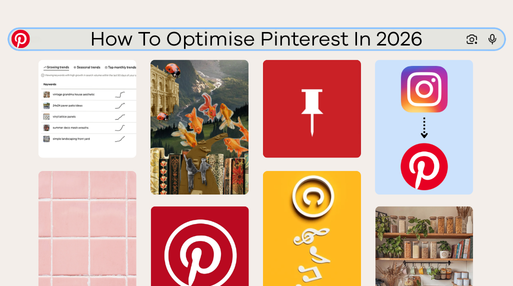
Many might see Pinterest as an image based social media app, focussed on aesthetic images, however it is much more like a search engine. Treating it like Instagram will mean you miss out on reach and traffic. Optimising Pinterest now is less about aesthetics alone and more about understanding how people search, save, and discover content.
From how trends influence what gets discovered, to how tools like collages function in practice, there are multiple layers that affect performance. Even linking your Instagram for auto-posting or using music in your videos can have unintended consequences, from disorganised boards to muted content.
The difference between content that performs and content that gets ignored often comes down to these small but critical details.
Lesson 1: Pinterest is a search engine.
Firstly, optimising Pinterest requires a mindset shift. While people now use platforms like Instagram and TikTok as search engines too, especially for things like local restaurant recommendations, product reviews, and brand discovery, Pinterest works differently because it is built around future intent. Users often come to Pinterest to plan, research, save, and take action later ². They are not just looking for entertainment or social proof; they are actively searching for ideas, solutions, products, inspiration, and visual direction.
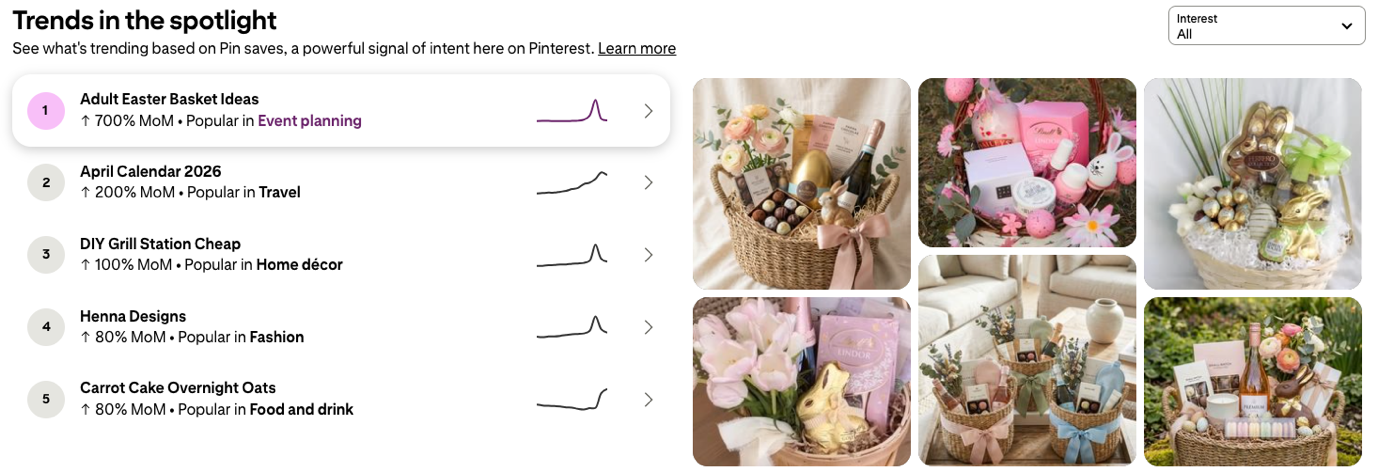
For businesses, one of Pinterest’s most valuable tools is the Pinterest Trends tool. It helps take the guesswork out of content planning by showing what people are searching for in real time, with insights broken down by location, interest, and keyword. This makes Pinterest especially useful for understanding what your audience is already interested in before you create content.
This kind of search-led trend data is not as readily available on platforms like Meta, where businesses often rely more heavily on platform analytics, audience behaviour, or paid ad data to understand what is performing. Pinterest Trends gives businesses a clearer view of what users are intentionally searching for, which means you can tailor your content, keywords, and Pin strategy around demand that already exists.
You can also search individual keywords to get a sense of their search volume, relevance, and seasonal patterns. This is where strong content planning starts. Instead of creating broad or generic Pins, you can build content around high-intent search terms that are already gaining traction.
What many people overlook is that keywords don’t just belong in Pin titles. Pinterest uses them across your entire profile. Your bio, board names, and board descriptions all contribute to how your content is indexed and discovered. A well-optimised profile reinforces your niche and helps Pinterest categorise your content more effectively, which can improve distribution over time.
Lesson 2: The up and down sides of collages
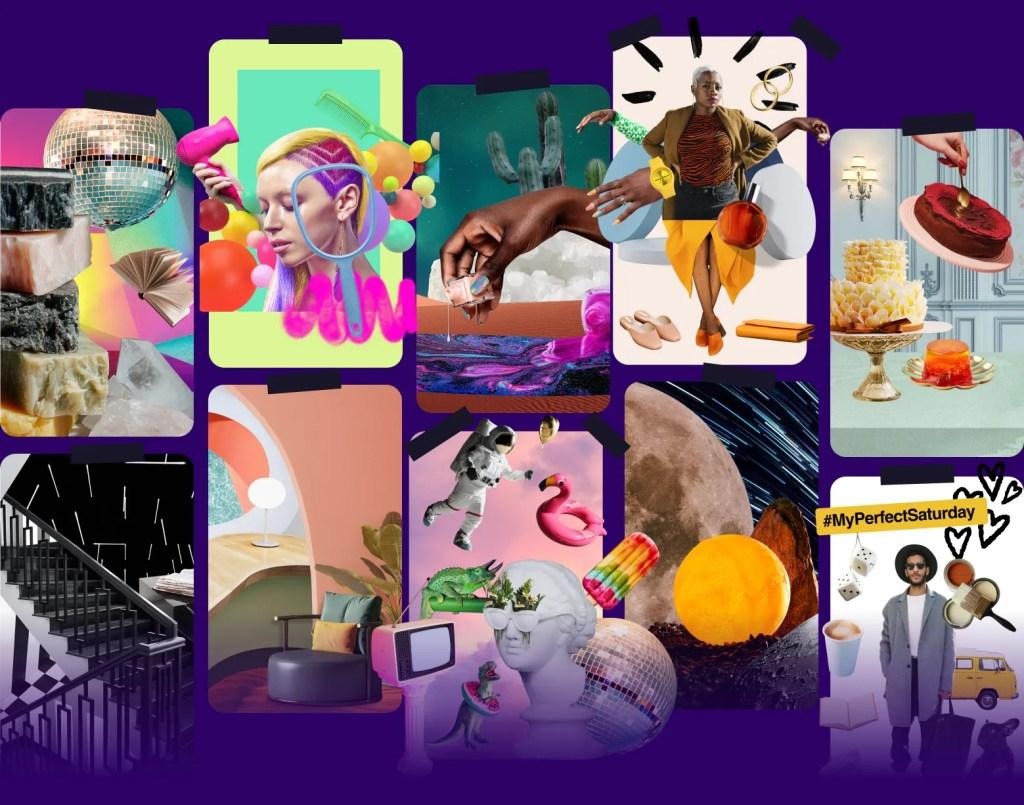
Pinterest collages are a visual format that combines multiple images, products, cut-outs, text, or design elements into one layered Pin. Collages are designed to feel creative, engaging, and native to Pinterest, and they do stand out visually. They give the impression of being quick and easy to produce, but the reality is quite different. It has potential to create “Pinterest worthy” image collages, where users can click on the individual products or images to link to shops, websites or your other pins. However, the experience of creating them is another story.

The user experience is still clunky. The cut-out or snipping tool is particularly poor, making it difficult to get clean, professional-looking results, especially when working with products. While the mobile version is slightly better, offering tools like an eraser and add function, it’s still far from seamless and often requires a lot of time to get something usable.
On top of that, the font options are extremely limited, making it difficult to maintain consistent branding and create polished, on-brand designs. This becomes even more noticeable if you’re trying to match your Pinterest content with assets from other platforms.
Pinterest has also introduced a separate app called Shuffles, which expands on the collage concept with a few additional tools ¹. However, even with these added features, the experience still isn’t particularly intuitive, and the output doesn’t always justify the effort.
Ultimately, collages sit in an interesting position. They have strong visual and interactive potential and align well with the kind of content that performs on Pinterest, but the time and effort required to create high-quality outputs can outweigh the benefits.
Lesson 3: Auto-Posting from Instagram – Convenient but Flawed
The ability to link your Instagram account and automatically publish content to Pinterest sounds like an easy way to stay consistent, especially if you’re already creating short-form video content. Essentially, this feature pulls your Instagram posts and republishes them directly to Pinterest without any additional input, acting as a simple cross-posting tool rather than a fully optimised publishing system⁷ .
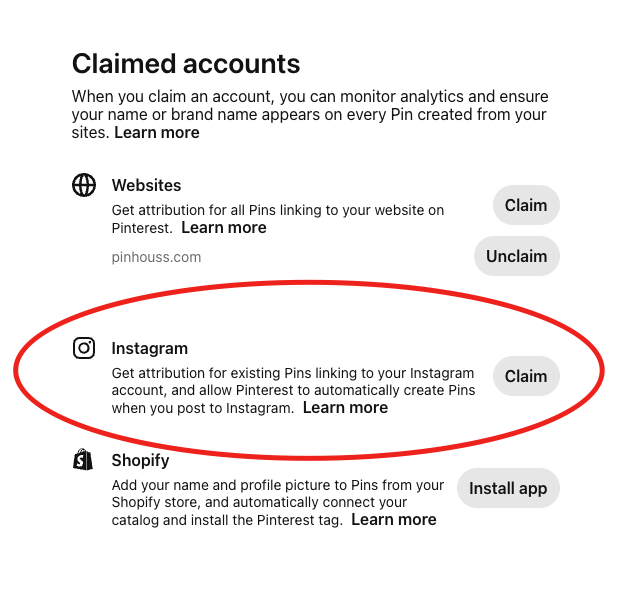
In practice, it comes with a few trade-offs. All auto-posted content is sent to a single board, which quickly becomes disorganised if you don’t manually go back and sort everything. Over time, this can impact how your content is categorised and discovered, since Pinterest relies on board structure to understand context.
There’s also the issue of content optimisation. What performs well on Instagram doesn’t always translate directly to Pinterest. Instagram content is designed for fast, passive consumption, whereas Pinterest content needs to be search-friendly, keyword-driven and promote saving. When posts are auto published, they often lack optimised titles, descriptions, and relevant keywords, which are critical for Pinterest SEO.
Because of this, relying too heavily on auto-posting can damage your overall SEO performance on Pinterest. Your content may be indexed poorly, shown to the wrong audience, or not distributed at all. Instead of strengthening your presence, it can dilute it by creating a large volume of unoptimised and unorganised Pins that don’t align with how the platform ranks and surfaces content.
Automation can save time, but it works best when paired with manual optimisation and organisation. Without that extra step, you’re trading efficiency for visibility, and on Pinterest, visibility is everything.
Lesson 4: The Hidden Risk of Using Music on Pinterest
One of the biggest limitations when repurposing content for Pinterest is how it handles audio. Unlike other platforms, Pinterest doesn’t have its own licensed music library, which creates challenges for video content, especially when that content has been created for Instagram or TikTok.
If your Pins include copyrighted music, they can be flagged, muted, or have their reach restricted⁴. This is often referred to as a “music piracy” issue, as the platform does not have the rights to distribute most commercial audio in the same way other platforms do.
This becomes even more of a problem when using features like Instagram auto-posting, where music is already embedded into the video. While the content may perform well on Instagram, once it’s transferred to Pinterest, the audio can trigger restrictions that limit how widely the Pin is shown or the audio may be muted.
Beyond just being muted, this can also impact how your content performs from a distribution and SEO perspective. Pinterest prioritises content that is fully usable and accessible, and videos with restricted or removed audio may be deprioritised. This means your content is less likely to be pushed into search results or shown to the right audience, ultimately reducing its visibility.
To avoid this, it’s best to upload versions of your content without music or to use original audio. While it may seem like a small detail, ensuring your content is fully compliant with Pinterest’s limitations can make a significant difference in how well it performs.
Lesson 5: What Actually Performs on Pinterest
Pinterest rewards content that is clear, searchable, and useful. The strongest-performing Pins tend to be those that solve a problem or answer a specific question. “How to” content, step-by-step guides, transformations, and practical tips outperform vague or aesthetic-only posts⁸.
Engagement on Pinterest also works differently compared to other platforms. While likes and comments have some value, saves are the most important signal. When a user saves your Pin, it tells Pinterest that the content is worth coming back to, which increases the likelihood of it being shown to more people over time. When making content that is “saveable” or “pinnable”, Pinterest users are looking for ideas they can act on, and pin to come back to, and the more your content communicates that, the better it will perform.
Final Thoughts
Pinterest is no longer a platform where you can rely on aesthetics alone. It rewards strategy, consistency, and a strong understanding of search behaviour.
Focusing on keywords, using the Trends tool effectively, and optimising every layer of your profile, from Pins to boards to your bio, will put you in a much stronger position to grow. While newer features like collages and automation tools are worth exploring, they shouldn’t replace the fundamentals.
Ultimately, the accounts that perform best are the ones that align their content with what users are already searching for and make it as easy as possible for Pinterest to deliver that content to the right audience.
References:
- ¹ Gavini, Naveen ( 2023, February 28). Shuffles by Pinterest expands to nine additional countries. Pinterest. https://newsroom.pinterest.com/en-gb/news/shuffles-by-pinterest-expands-to-nine-additional-countries/
- ² Leslie, Jem. (2025, October 8). Gen Z on Pinterest. https://www.wearebottle.com/blog/gen-z-on-pinterest
- ³ Perez, Sarah. (2024, May 1). Pinterest says its AI-powered collages are now more engaging than pins. https://techcrunch.com/2024/05/01/pinterest-says-its-ai-powered-collages-are-now-more-engaging-than-pins/
- ⁴Pinterest Help. (2026). Using music in Pins. https://help.pinterest.com/en/article/add-music-to-a-pin
- ⁵Pinterest Trends. (16, April 2026). Pinterest trends. https://trends.pinterest.com/
- ⁶Sarahi. (2023). Collage Aesthetic [Pinterest Pin]. Pinterest. https://au.pinterest.com/pin/2814818512576019/feedback/?invite_code=423a3a8dcb9e4b3a9cf85e1f47dacdfa&sender_id=671529131846030072
- ⁷ Rachel (2024, May 7). How to Auto-Publish Your Instagram Posts to Pinterest. http://pinhouss.com/2024/05/07/how-to-auto-publish-your-instagram-posts-to-pinterest/
- ⁸ Teles, Catie Marques (2022, October 21). Beginner’s guide to Pinterest content. https://business.pinterest.com/en-au/blog/beginner-pinterest-content-guide/


